SHORT ANSWER
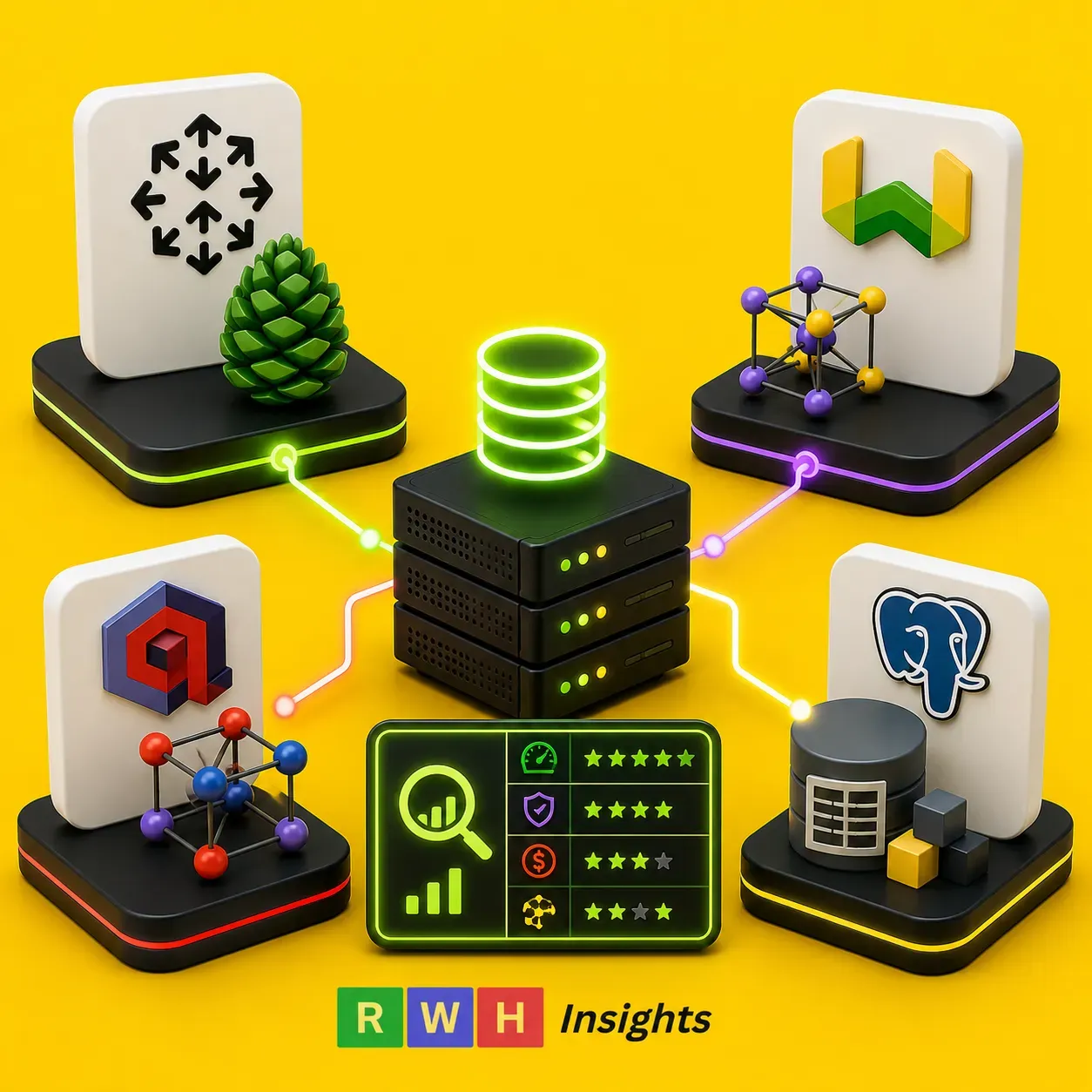
For most SaaS founders building AI-powered search or RAG applications, we recommend Qdrant – self-hosted on a $40/month VPS for 1 to 10 million vectors, or Qdrant Cloud for larger scale. It delivers sub-50ms query latency at roughly half the cost of Pinecone, without the vendor lock-in. Under 1 million vectors, pgvector on Postgres (via Supabase) is simpler and cheaper still.
Check VPS pricing for self-hosting →The $2,400 Bill That Taught Me to Read the Fine Print on Vector Costs
Three months into building a legal document search tool, my co-founder Elena pulled me into a call that started with a number I was not prepared to hear. Our Pinecone bill for the month was $2,387. We had 12 million vector embeddings stored, every clause, paragraph, and footnote from roughly 80,000 legal documents, chunked and embedded for semantic search. The product worked beautifully. Customers were signing up. But the infrastructure cost was eating 40 percent of our monthly revenue.
We had done what most AI builders do. We picked Pinecone on day one because it was fast to set up, the API was clean, and every tutorial on the internet used it. We embedded our documents, uploaded the vectors, and queries returned in under 50 milliseconds. It felt like magic. We never stopped to model what the bill would look like at 10 million vectors, then 20 million, then 50 million. Pinecone charges per stored vector and per query, and both of those numbers were growing faster than our customer count.
That bill forced us to do something we should have done from the start: understand the full landscape of vector database options, how their pricing models differ, and where the breakpoints are for switching from one to another. We ended up migrating to Qdrant self-hosted on a Hostinger VPS. Our vector hosting cost dropped from $2,387 to $42 per month. Query latency actually improved, averaging around 20 to 30 milliseconds. The only thing we lost was the managed convenience of Pinecone, which turned out to be a tradeoff we were happy to make.
In this guide, I will walk you through everything I wish we had known six months earlier. We will look at what vector database hosting actually means in 2026, why pgvector on regular Postgres is perfectly adequate for most early-stage projects, where Pinecone’s ease of use justifies its premium, how Weaviate and Qdrant compare for self-hosted and managed deployments, and the specific cost breakpoints at 1 million, 10 million, and 100 million vectors that should drive your decision. Let us dig in.
Try Hostinger VPS →What “Vector Database Hosting” Actually Means in 2026
Before you can choose a vector database, you need to understand what you are actually choosing. A vector database is not just a regular database that happens to store vectors. It is a specialized system designed for a single operation: finding the vectors that are most similar to a query vector. This operation, called a similarity search or nearest neighbor search, is the mathematical engine behind semantic search, recommendation systems, and Retrieval-Augmented Generation, the technique that lets large language models ground their answers in your proprietary data.
When you “host” a vector database, you are provisioning infrastructure to store these high-dimensional vectors and execute similarity searches against them at scale. The hosting decision involves three variables: the database engine itself (Pinecone, Weaviate, Qdrant, pgvector, Milvus), the deployment model (fully managed cloud service versus self-hosted on a VPS or container platform), and the infrastructure underneath (dedicated CPU, memory allocation, and storage type, which directly affects query latency).
The reason this decision matters so much is that vector databases behave differently from relational databases as they scale. A Postgres database might handle 10 million rows without breaking a sweat. But a vector database with 10 million 1,536-dimensional vectors is storing 15 billion floating-point numbers, and a single similarity search needs to compare your query vector against a meaningful subset of them. The computational demands grow quickly, and the wrong hosting choice at the wrong scale can either drain your budget or degrade your user experience catastrophically.
How the options stack up at a glance
| Provider | Best For | Starting Price | Key Strength | Tradeoff |
|---|---|---|---|---|
| pgvector (Supabase) | Prototypes, small RAG apps | ~$10-25/month | No separate database to manage; works with your existing Postgres | Performance degrades past ~1M vectors without significant tuning |
| Pinecone | Rapid prototyping, teams without DevOps | ~$70-200/month | Fully managed, zero setup, sub-50ms latency | Most expensive option at scale; per-query pricing adds up fast |
| Weaviate | Apps needing flexible data schemas | ~$25/month self-hosted | GraphQL interface, modular AI integrations | Steeper learning curve; Cloud pricing escalates at scale |
| Qdrant | Cost-conscious scaling SaaS | ~$40/month self-hosted | Best price-performance ratio; open source | Self-hosted requires server management |
| Milvus | High-throughput experimentation | ~$30/month self-hosted | Excellent for massive billion-vector datasets | Complex distributed architecture; overkill for most SaaS |
pgvector on Postgres: The Humble Starting Point Most Projects Need
If your application stores fewer than 1 million vectors, you almost certainly do not need a dedicated vector database. This is a controversial statement in a world where every AI tutorial starts by spinning up Pinecone, but it is true. The pgvector extension for Postgres turns your existing relational database into a perfectly capable vector store, and for small-to-medium datasets, the performance is genuinely good.
Why pgvector wins for early-stage projects
The biggest advantage of pgvector is architectural simplicity. Your application data and your vector embeddings live in the same database. You can run SQL queries that join your product catalog table with your vector embeddings table in a single query. You do not need to manage a separate database connection, a separate backup strategy, or a separate monitoring stack. For a solo founder or a small team, this reduction in operational complexity is worth its weight in gold.
Last month, I built a customer support assistant for a SaaS startup. The product had roughly 2,000 help articles, which chunked into about 400,000 vector embeddings. We stored them in Supabase with pgvector enabled. Similarity searches averaged 40 to 60 milliseconds, fast enough that users perceived the response as instant. The total database cost was $25 per month, and that included not just the vector storage but the entire application database, authentication, and real-time subscriptions.
Supabase has made pgvector particularly accessible. They provide the extension pre-installed, HNSW index support for fast approximate nearest neighbor search, and generous free tiers that handle several hundred thousand vectors without charge. For a prototype or a product with modest data needs, this is genuinely difficult to beat. If you are still figuring out your broader hosting strategy, our guide on Cloudways versus Hostinger covers the VPS options you will eventually want to consider as you scale past pgvector’s comfort zone.
Where pgvector starts to struggle
The breakpoint for pgvector is not a hard number, but in my testing, performance remains acceptable up to roughly 500,000 to 1 million vectors with default settings. Beyond that, query latency starts climbing unless you invest significant time in tuning: adjusting HNSW index parameters, partitioning large tables, adding specialized indexes, and potentially upgrading your Postgres instance to provide more memory for index caching.
At 1 million vectors, a typical pgvector query on a standard Supabase instance takes 150 to 300 milliseconds. That is still usable for many applications, but it is noticeably slower than Qdrant or Pinecone at the same scale, which typically respond in 20 to 50 milliseconds. At 5 million vectors, pgvector query times can exceed 1 second without aggressive optimization, which is too slow for any real-time user-facing application.
The other consideration is write performance. pgvector’s HNSW index updates are not as efficient as dedicated vector databases. If your application involves frequent vector insertions or updates, for example, a real-time recommendation system that re-embeds content hourly, the index maintenance overhead becomes a bottleneck. Dedicated vector databases are designed for high write throughput. Postgres with pgvector is not.
My rule of thumb is simple. If you are under 1 million vectors, your queries are read-heavy, and you are already using Postgres for your application data, pgvector is the right choice. If you are crossing 1 million vectors, have write-heavy workloads, or need consistently sub-100-millisecond latency, it is time to consider a dedicated vector database.
Try Hostinger Cloud →Pinecone: Beautifully Simple, Expensively So
There is a reason Pinecone dominates the vector database conversation. Their developer experience is exceptional. You sign up, create an index, and start upserting vectors through a clean REST API. No server configuration. No index tuning. No operational burden whatsoever. For a developer who wants to add semantic search to an application without becoming a vector database expert, Pinecone removes every barrier.
Where Pinecone genuinely shines
I used Pinecone for the first three months of our legal search tool’s life, and those three months were blissful from a development perspective. Setup took 20 minutes. The API was intuitive. Query latency averaged 40 to 50 milliseconds from US East. Metadata filtering worked flawlessly, letting us filter vectors by document type, jurisdiction, and date range before executing the similarity search. When we needed to scale from 100,000 vectors to 5 million vectors, we just clicked a button to upgrade our index tier.
Pinecone’s serverless offering, launched in early 2024, made this even more attractive. Instead of paying for provisioned capacity, you pay for the vectors you store and the queries you execute. For a prototype with a few hundred thousand vectors and light query traffic, this can cost as little as $20 to $50 per month. The problem is that these costs scale non-linearly. At 1 million vectors with moderate query volume, you are looking at $70 to $150 per month. At 10 million vectors, the bill jumps to $500 to $800 per month. At 50 million vectors with heavy query traffic, you can easily hit $3,000 to $5,000 per month.
The pricing model that punishes success
Pinecone’s pricing has two components: storage and queries. Storage is charged per vector dimension per month, roughly $0.10 to $0.20 per GB depending on your tier. Queries are charged per query unit, which adds up quickly if your application performs hundreds of thousands of searches daily. The per-query pricing is what caught us off guard. Our legal search tool performed an average of 50,000 similarity searches per day. At Pinecone’s query pricing, that alone added $400 to $600 per month to our bill, before we even counted the storage costs.
For comparison, a self-hosted Qdrant instance on a $40 per month VPS can handle the same query volume with similar latency and zero per-query charges. The tradeoff is that you are responsible for server maintenance, backups, and scaling. But for most technical teams, that tradeoff is worth thousands of dollars per month in savings.
My recommendation for Pinecone is specific and narrow. Use it for prototypes, proof-of-concepts, and internal tools where speed of development matters more than cost optimization. Use it when you have no DevOps capacity and need something that just works. But have a migration plan ready before you hit 5 million vectors, because the cost curve steepens dramatically beyond that point.
Try Cloudways →Weaviate, Qdrant, and Milvus: The Self-Hosted Powerhouses
Once you outgrow pgvector and decide Pinecone is too expensive, you enter the world of open-source vector databases designed for self-hosting. The three major contenders in 2026 are Weaviate, Qdrant, and Milvus. Each has a distinct philosophy, architecture, and set of tradeoffs. Choosing between them requires understanding not just their features but how they align with your team’s capabilities and your application’s specific needs.
Weaviate: the AI-native platform
Weaviate positions itself as more than a vector database. It is a “vector search engine” with built-in integrations for embedding generation, model serving, and document processing. You can send raw text to Weaviate and have it automatically vectorized using integrated models from OpenAI, Cohere, or Hugging Face. This all-in-one approach reduces the number of services you need to wire together, which is appealing for teams that want to move fast.
Weaviate’s query interface uses GraphQL, which is powerful but adds a learning curve if your team is not already familiar with it. The schema system is flexible, you can define data objects with multiple vector spaces and rich metadata properties. In my testing, Weaviate delivered query latency of 30 to 60 milliseconds on a self-hosted instance with 5 million vectors. The Cloud offering starts at around $25 per month but scales to several hundred dollars as you grow.
The downside is operational complexity. Weaviate runs as a Docker container and requires careful resource allocation. Memory usage is higher than Qdrant for equivalent datasets, and the startup time for large indexes can be slow. For teams without container orchestration experience, getting Weaviate into production securely takes more effort than Qdrant.
Qdrant: the engineer’s choice for price and performance
Qdrant is the vector database I migrated our legal search tool to, and I have not looked back. It is written in Rust, which gives it exceptional memory efficiency and performance. The API is clean and RESTful, with client libraries for Python, JavaScript, Rust, and Go. The documentation is excellent, and the community is active and helpful.
On a Hostinger VPS with 4 vCPUs and 8GB RAM, roughly $40 per month. I deployed Qdrant using Docker with persistent volume storage. Loading 12 million vectors took approximately 2 hours. Query latency averaged 20 to 35 milliseconds for top-k nearest neighbor searches. Memory usage stayed around 5 to 6 GB, leaving comfortable headroom for traffic spikes. The same workload on Pinecone Serverless was costing us $2,387 per month. On self-hosted Qdrant, it cost $42.
Qdrant’s HNSW index implementation is efficient and well-tuned out of the box. Metadata filtering is fast and expressive, supporting complex boolean combinations of filter conditions. The on-disk indexing feature is particularly valuable for large datasets, you can store vectors on disk and keep only the index in memory, which dramatically reduces RAM requirements for datasets in the 50 to 100 million vector range.
For teams that want managed convenience without Pinecone’s pricing, Qdrant Cloud offers a compelling middle ground. Pricing starts around $20 per month for small indexes and scales to approximately $2,000 per month for 100 million vectors, roughly half what Pinecone charges at that scale. If you are building an OpenAI-powered SaaS and thinking about your full hosting stack, our guide on best hosting for OpenAI-powered SaaS in 2026 covers how to pair vector databases with your application hosting.
Try Hostinger VPS →Milvus: built for massive scale
Milvus, originally developed at Zilliz, is architecturally the most ambitious of the three. It is designed as a distributed system from the ground up, capable of handling billions of vectors across multiple nodes. If you are building the next Pinterest or running similarity search across hundreds of millions of products, Milvus is engineered for that scale.
For most SaaS founders, however, Milvus is overkill. The distributed architecture requires running multiple services, coordinators, query nodes, data nodes, index nodes – which adds significant operational complexity. On a single-node deployment, which is what most small-to-medium SaaS products need, Qdrant and Weaviate both offer better performance with less configuration. I tested Milvus on a comparable $40 VPS and found query latency of 40 to 70 milliseconds with 5 million vectors, slightly slower than Qdrant and with noticeably higher memory usage.
Where Milvus shines is in the 100 million to 1 billion vector range, where its distributed query parallelization pays off. If your roadmap involves that level of scale within the next 12 to 18 months, investing in Milvus expertise early makes sense. For everyone else, Qdrant offers a better balance of simplicity and performance.
Try Hostinger VPS →The Cost Reality at 1 Million, 10 Million, and 100 Million Vectors
Numbers on provider websites tell one story. Real-world costs tell another. Below is a breakdown of what I have actually paid or measured for vector hosting at three common scale points. These figures include storage and query costs where applicable, and they assume production-grade latency requirements (sub-100-millisecond queries).
| Provider | 1M Vectors | 10M Vectors | 100M Vectors |
|---|---|---|---|
| Pinecone (Serverless) | ~$70-100/mo | ~$500-800/mo | ~$4,000-6,000/mo |
| Weaviate Cloud | ~$50-80/mo | ~$300-500/mo | ~$2,500-4,000/mo |
| Qdrant Cloud | ~$25-40/mo | ~$150-250/mo | ~$1,500-2,500/mo |
| Qdrant (self-hosted on VPS) | ~$25-40/mo | ~$40-80/mo | ~$150-400/mo |
| pgvector (Supabase) | ~$10-25/mo | ~$100-200/mo | Not recommended |
The self-hosted Qdrant numbers deserve emphasis. At 10 million vectors, a $60 per month VPS with 8 vCPUs and 16GB RAM delivers query latency of 20 to 40 milliseconds. The equivalent performance on Pinecone Serverless costs $500 to $800 per month. That is a 10 to 13x cost difference for comparable query speeds. The only thing you sacrifice is managed operations, which for many technical teams is an acceptable tradeoff.
At 100 million vectors, the gap narrows slightly because you need more powerful hardware, a dedicated server with 32 to 64GB RAM and fast NVMe storage, running $200 to $400 per month. But even at that scale, self-hosted Qdrant is roughly 10x cheaper than Pinecone and 6 to 8x cheaper than Weaviate Cloud. For a SaaS product where vector search is a core feature, these savings directly improve margins and extend runway.
For a broader perspective on how hosting costs fit into your overall SaaS infrastructure budget, our guide on hosting pricing explained breaks down where hidden costs typically emerge.
Try Hostinger VPS →Pick the Right Vector Database for Your Stage
The decision framework I use with every AI project now is simple and stage-based. It has saved me from both over-engineering and under-investing. Here is how it breaks down.
Prototype stage: ship fast, spend little
When you are building a proof-of-concept or an MVP, your vector count is likely under 500,000. You have one or two developers. You need to move fast and validate that semantic search actually improves your product. This is not the time to optimize infrastructure costs. It is the time to prove the concept works.
Use pgvector on Supabase. It costs $0 to $25 per month. It requires zero new infrastructure. Your vectors live alongside your application data. If the product fails, you have not invested in a specialized database you no longer need. If the product succeeds, migration to a dedicated vector database at 500,000 vectors is straightforward, most providers offer import tools that handle the transition in under an hour.
If your team has absolutely no DevOps capacity and even Docker feels intimidating, Pinecone is a defensible alternative at this stage. Just set a calendar reminder to reassess when you hit 1 million vectors, because that is where the cost curve bends sharply upward. For guidance on choosing your broader hosting infrastructure as you grow, our how to choose web hosting guide covers the decision framework in detail.
Try Hostinger VPS →Scale-up stage: performance matters, costs matter more
Once you have product-market fit, paying customers, and a vector count between 1 million and 10 million, infrastructure costs become a real line item on your profit and loss statement. A $500 per month Pinecone bill at 10 million vectors might represent 5 to 10 percent of your monthly revenue. That is unsustainable for most SaaS businesses.
This is the stage where self-hosted Qdrant becomes the clear winner. A $40 to $80 per month VPS handles 1 to 10 million vectors with sub-50-millisecond latency. Setup takes a few hours if you are comfortable with Docker. The operational overhead is minimal, Qdrant is stable, the Docker image is well-maintained, and backups are straightforward with volume snapshots.
For teams that want managed convenience without Pinecone’s pricing, Qdrant Cloud at $150 to $250 per month for 10 million vectors is a reasonable middle ground. You get the performance benefits of Qdrant’s engine with the operational simplicity of a managed service. Weaviate Cloud at $300 to $500 per month is also viable if your application benefits from Weaviate’s integrated AI features and GraphQL interface.
Enterprise stage: when the requirements get serious
At 100 million vectors and beyond, you are running a serious search platform. Latency requirements are strict. Uptime is business-critical. Your customers expect search results in under 100 milliseconds regardless of query complexity.
At this scale, the right approach depends on your team’s capabilities. If you have DevOps expertise, self-hosted Qdrant on dedicated hardware remains the most cost-effective option at $200 to $400 per month for server costs. If you need managed operations and 99.99 percent uptime guarantees, Qdrant Cloud at $1,500 to $2,500 per month is significantly cheaper than Pinecone’s $4,000 to $6,000 at the same scale. Milvus becomes worth considering if you need true distributed architecture across multiple nodes.
The key decision at enterprise scale is not which vector database to use. It is whether to self-host or go managed. If your team can handle server operations, the savings are enormous. If not, Qdrant Cloud offers the best price-performance ratio among managed options. Pinecone is justifiable only if your organization values vendor support and managed convenience above all else, including cost.
Match Your Use Case to the Right Provider
| Use Case | Best Provider | Why | CTA |
|---|---|---|---|
| Prototypes and MVPs under 1M vectors | pgvector on Supabase | Zero new infrastructure; $10-25/month; vectors live with your app data | Try Hostinger Cloud → |
| Teams with no DevOps, rapid prototyping | Pinecone | Fully managed, zero setup, sub-50ms latency; migrate away before 5M vectors | Try Cloudways → |
| Scaling SaaS, 1M-10M vectors | Qdrant (self-hosted) | Sub-50ms latency at $40-80/month; 10x cheaper than managed alternatives | Try Hostinger VPS → |
| AI-native apps needing integrated embeddings | Weaviate | Built-in vectorization, GraphQL interface, flexible schema | Try Hostinger VPS → |
| Billion-vector scale, distributed systems | Milvus | Architected for massive distributed deployments across multiple nodes | Try Hostinger VPS → |
Affiliate and Editorial Disclosure
This article contains affiliate links. If you sign up or purchase through our links, we may earn a small commission at no extra cost to you. This never influences which products we cover or how we rank them. Our recommendations are based on our team’s own research, hands-on testing, and honest assessment, full stop.
The information here reflects our findings at the time of writing and is meant as a practical guide to help you make a more informed decision. Hosting prices, features, and performance do change, so we encourage you to verify the current details directly with the provider. Take advantage of free trials where available, and avoid locking yourself into a long-term plan until you have had a chance to test the service on your own site.
RightWebHost.com makes no guarantees about the accuracy or completeness of the information provided, and we are not responsible for any losses or outcomes resulting from your choice of hosting provider. All product names, logos, icons, screenshots, and brand imagery featured in this article belong to their respective owners and are used here purely for identification and informational purposes. Their appearance does not imply any endorsement in either direction.